Dashboard
Our Vendor dashboard offers off-the-shelf features customized for each Merchant. Easily manage your stock, add products, add services, update order status, print invoices, and more.
Read Moreglowlabs Vendor
Optimize your business with Glowlabs Vendor, a platform that empowers you to sell and manage your inventory with ease. Control your branches, track your revenue and reach customers all over the United Arab Emirates.

Our Vendor solution is built for growing, multi-branch businesses that need control, consistency, and scale. From one unified dashboard, you can manage branches, inventory, teams, orders, and promotions with confidence. We support your daily operations with streamlined logistics and structured user roles, so the right people manage the right tasks while your brand delivers a reliable customer experience across every location.

Features
Our Vendor Package includes a company-branch management system that makes it easy to administer all your branches. We handle product transportation on your behalf, and the package also provides internal user management so you can assign and control who manages products and who provides services. Manage your catalog, branch teams, stock, and promotions with role-based access and real-time updates.
Our Vendor dashboard offers off-the-shelf features customized for each Merchant. Easily manage your stock, add products, add services, update order status, print invoices, and more.
Read MoreEasily manage your branches with the Glowlabs Vendor Dashboard. Monitor branch-level stock, services, orders, and bookings from a single, intuitive interface.
Read MoreReach customers all over the United Arab Emirates. Our third-party services help ship your products faster and expand your business geographically.
Read MoreAdd and manage your offers easily and quickly with the merchant dashboard to grow customer satisfaction. Set discount percentages, timespans, and specific products and services.
Read MoreEasily assign an individual to serve customers at a given branch, and update or remove provider profiles. Control whether they have access to a single branch or multiple locations.
Read MoreThe Product Manager has full product control across all branches, including creating, modifying, and deleting product listings. This role also includes updating order statuses throughout the fulfillment lifecycle.
Read More
Our Vendor dashboard offers off-the-shelf features customized for each Merchant. Easily manage your stock, add products, add services, update order status, print invoices, and more.
Read More
Easily manage your branches with the Glowlabs Vendor Dashboard. Monitor branch-level stock, services, orders, and bookings from a single, intuitive interface.
Read More
Reach customers all over the United Arab Emirates. Our third-party services help ship your products faster and expand your business geographically.
Read More
Add and manage your offers easily and quickly with the merchant dashboard to grow customer satisfaction. Set discount percentages, timespans, and specific products and services.
Read More
Easily assign an individual to serve customers at a given branch, and update or remove provider profiles. Control whether they have access to a single branch or multiple locations.
Read More
The Product Manager has full product control across all branches, including creating, modifying, and deleting product listings. This role also includes updating order statuses throughout the fulfillment lifecycle.
Read MoreThe Interface
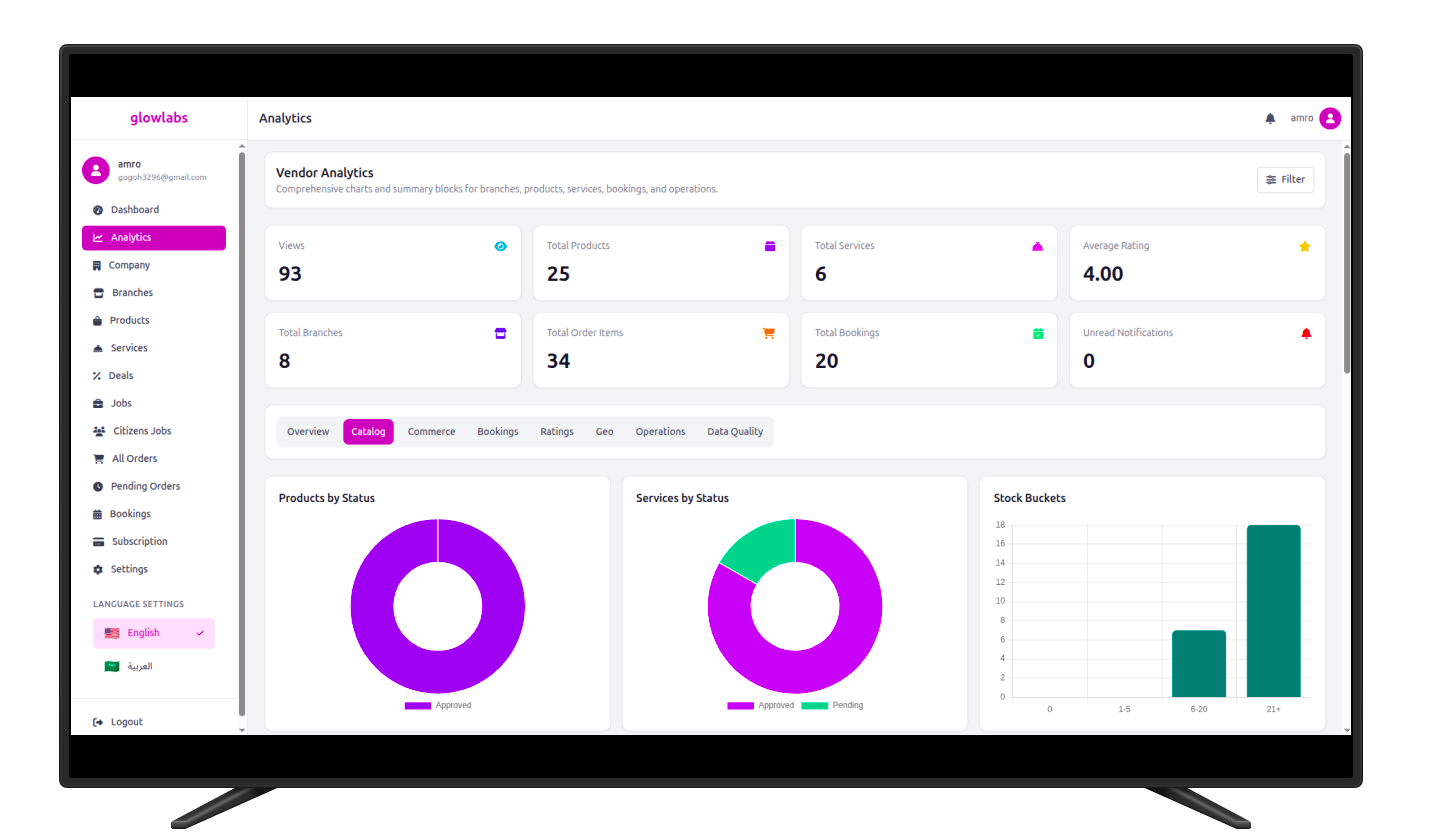
Our intuitive dashboard enables effortless inventory management and provides actionable insights and analytics to support your business growth.
Visual data storytelling that highlights growth opportunities without the noise.
Intuitive workflows designed to save time and reduce operational complexity.
Promotions
Easily manage and add deals and discounts for selected products or services within your customized timespan.
Create one now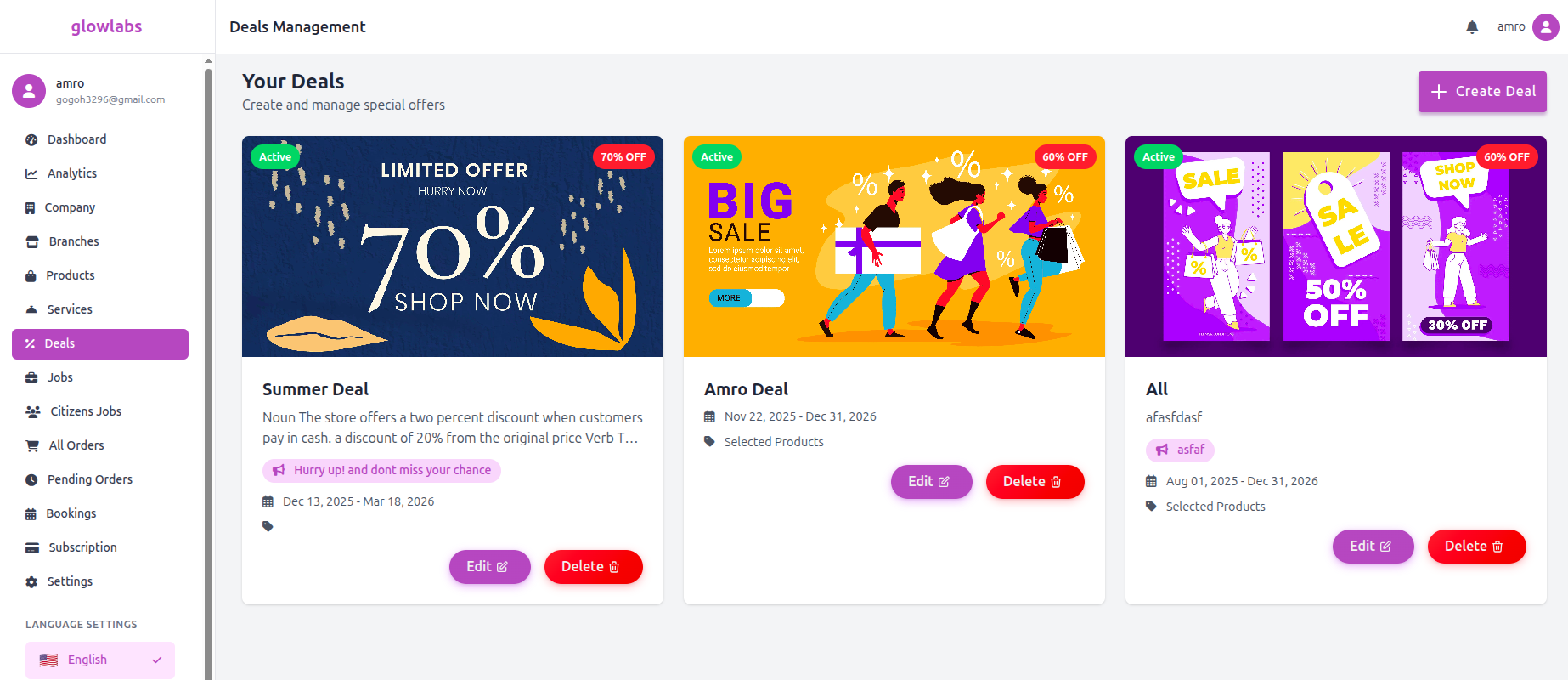
Dashboard Usage
From the dashboard sidebar, click the Branches tab, then click the "Add Branch" button. Enter the following information to create a branch:
From the dashboard sidebar, click the Products tab, then click the "Add new product" button. Enter the following required information to create a product:
From the dashboard sidebar, click the Services tab, then click the "Add new service" button. Then enter the following service information:
From the dashboard sidebar, click the Services tab, then click "Create deal" or the plus button. After the deal creation page opens, enter the related deal information:
Privileges
Service Provider Creation
To create a service provider, go to the Settings tab and click Service Providers. Then, from the Service Provider Management page, click "Add Service Provider" and enter the following information:
Create and manage your services with full control
View and respond to customer bookings
Manage availability and pricing strategies
Access comprehensive analytics and reports
Privileges
Products Manager Creation
To create a products manager, go to the Settings tab and click Products Managers. Then, from the Products Managers Management page, click "Add Products Manager" and enter the following information:
Manage and update product information
Handle orders and update order status
Manage availability and pricing strategies
Access comprehensive analytics and reports
Optimize your business with Glowlabs Vendor, a platform that empowers you to sell and manage your inventory with ease. Control your branches, track your revenue and reach customers all over the United Arab Emirates.
Start Now